Let’s explore how Sheetcast works and why it might be your new favorite tool.
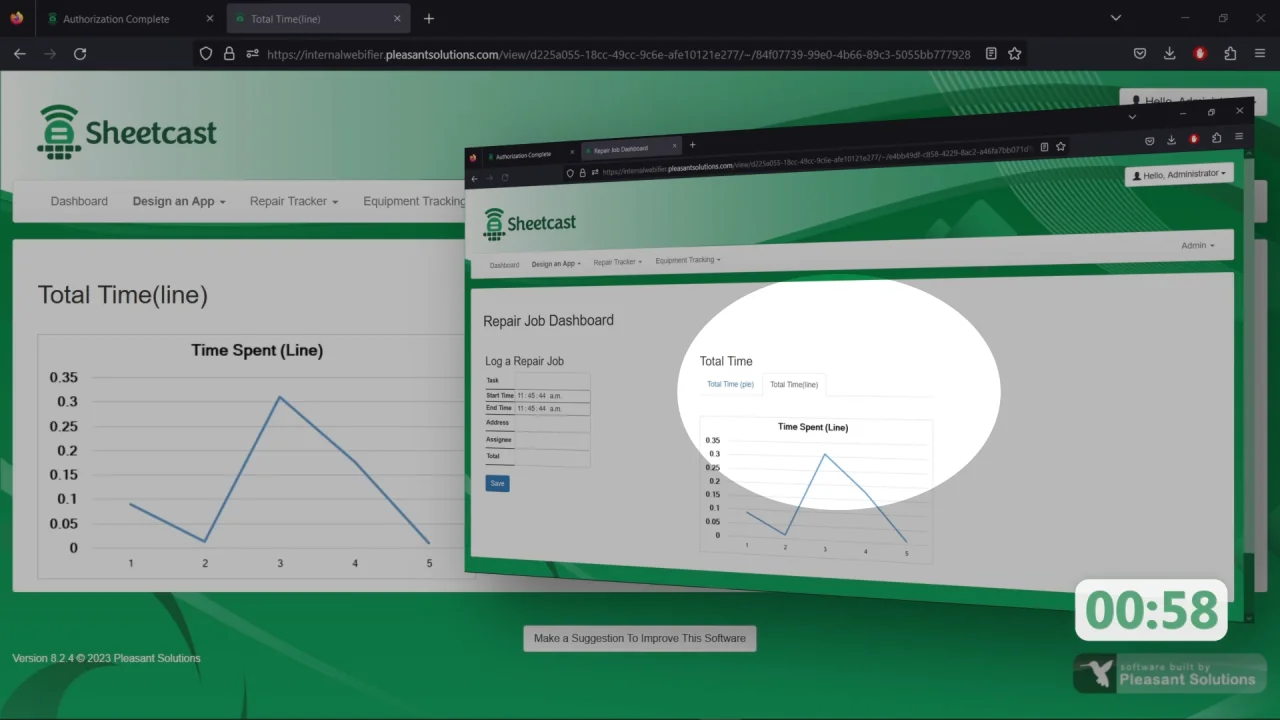
Spreadsheets are everywhere. We use them to track data, plan projects, and manage tasks. But what if you could do more with them? What if your spreadsheet could become a full web app?
That’s where Sheetcast comes in.
It’s a simple tool that helps you build powerful web apps using just a spreadsheet. You don’t need to hire a developer. You don’t need to learn coding. All you need is your existing spreadsheet.
Let’s explore how it works and why it might be your new favorite tool.
Sheetcast is a no-code platform. It turns Google Sheets or Excel files into functional web applications. It’s made for people who love using spreadsheets but need something more powerful.
With Sheetcast, you can create interactive forms, dashboards, and custom apps in minutes. No complicated setup. No steep learning curve.
It works right out of the box. Just upload your sheet, adjust the settings, and publish your app.
Spreadsheets are great. But they have limits.
Here are a few problems people run into:
A web app fixes all of that.
When you turn your spreadsheet into a web app, you:
Sheetcast helps you get all these benefits—without writing code.
Sheetcast is packed with smart, user-focused features designed to make app-building simple and powerful. Each tool helps you save time, reduce manual work, and create polished web apps directly from your spreadsheet.
No-Code App Creation
Sheetcast lets you build powerful web apps without writing a single line of code. If you're comfortable using spreadsheets, you're already equipped to create your own apps
Design your app visually by dragging and dropping elements into place. No need for design skills—everything is simple, fast, and user-friendly.
Your spreadsheet does all the work in the background. Existing formulas and validations automatically power the logic behind your app.
Changes in your spreadsheet or app are reflected instantly. You never have to manually update or reload files again.
Make it easy for users to find what they need. Filter and search through tables quickly—even when you’re working with lots of data.
Display large sets of data cleanly with built-in pagination. Let users sort columns for better navigation and organization.
Turn raw data into beautiful charts. Add bar graphs, pie charts, and line graphs to present insights clearly and professionally.
Your app looks great on any device. Whether it's a phone, tablet, or computer—Sheetcast makes sure your layout fits perfectly.
Organize your app with multiple pages for different functions. Add dashboards, forms, or reports all within the same app.
Start quickly with ready-to-use templates for common business needs. Customize them easily to suit your project or workflow.
Collect clean, structured data using custom forms. Use fields like dropdowns, radio buttons, and validation rules to guide input.
Let users upload documents, images, or PDFs directly through your app. Each upload connects to the relevant data entry.
Automatically compute totals, percentages, or deadlines. Just use your spreadsheet formulas, and Sheetcast updates results live.
Show or hide fields based on user input. This keeps your forms simple, relevant, and easier to fill out.
Set permissions to control access for different users. You decide who can view, edit, or manage your app.
Add your logo, colors, and messaging. Give your app a professional look that aligns with your brand identity.
Track every change made in your app or spreadsheet. See who did what and when—perfect for accountability and teamwork.
Get notified when users submit forms or make updates. Send confirmation messages automatically to keep everyone informed.
Download your data as Excel, CSV, or PDF. Easily generate reports, save backups, or work offline when needed.
Invite teammates to build and manage apps together. Assign permissions and work in real time without overlap.
Integrate Sheetcast with other tools using the API. Automate tasks or build custom workflows for more advanced use cases.
It only takes a few steps to go from spreadsheet to app.
Start by importing your existing Excel or Google Sheets file into Sheetcast.
Choose which data you want users to see or interact with. You can make fields view-only, editable, or hidden.
Use the visual builder to create your app’s layout. Add forms, buttons, charts, or tables.
Preview your app to see how it works. Make changes if needed.
Once you’re happy, publish the app. Share the link with your team, clients, or users.
It’s that easy.
Not sure how to use Sheetcast? Here are a few real examples.
Create apps for inventory tracking, sales reporting, or order management.
Let clients log in to see their project status or submit requests.
Collect employee info, documents, or feedback in a secure way.
Build apps to manage tasks, track deadlines, and assign work.
Create clean, easy-to-use registration forms linked directly to a spreadsheet.
Basically, if it starts in a spreadsheet, it can become an app with Sheetcast.
There are other tools out there—like Glide, Airtable, or AppSheet. So why choose Sheetcast?
Here’s a quick comparison:
|
Feature |
Sheetcast |
Glide |
AppSheet |
|
Works with Excel & Sheets |
✅ Yes |
❌ Sheets only |
✅ Yes |
|
Easy for Beginners |
✅ Very Easy |
✅ Easy |
⚠️ Some Learning |
|
Custom Forms & Layouts |
✅ Yes |
✅ Yes |
✅ Yes |
|
Full Control Over Access |
✅ Yes |
✅ Yes |
✅ Yes |
|
Cost-Effective Plans |
✅ Yes |
❓ Depends |
❓ Depends |
Sheetcast is ideal if you want something simple, flexible, and focused on spreadsheets.
This tool is for anyone who uses spreadsheets regularly. It’s especially useful for:
Even if you’re not technical, you can build a functional app in minutes.
Here are some reasons users are switching to Sheetcast:
Most users say it feels like magic—watching a basic spreadsheet turn into a full app.
Want to level up your experience? Try these tips:
Following these tips will make your apps even better.
“Sheetcast has provided a solution that I've been looking to solve for years. It’s incredibly user-friendly and has saved me countless hours!”
— Charley Kyd, President, Exceluser.com
“Sheetcast is a great application for people who don’t have time to learn Excel but need reports. It’s simple with easy buttons and refresh options.”
— Microsoft MVP, Attendee of the Global Excel Summit
“Sheetcast looks like a very promising solution for many different business scenarios. I loved learning about the product and its potential.”
— Celia Alves, Founder of Solve and Excel, Microsoft MVP
If you’re tired of messy spreadsheets or complicated software, Sheetcast is for you. It gives you the best of both worlds—the power of a web app and the simplicity of a spreadsheet.
Whether you're managing projects, collecting data, or building dashboards, Sheetcast helps you do it faster, smarter, and with zero code.
Ready to transform your workflow?
👉 Try Sheetcast today and turn your spreadsheet into something amazing