Whether you’re a teacher looking to spice up your classroom or a student who loves quiz games, the Gimkit host option is something you’ll appreciate.
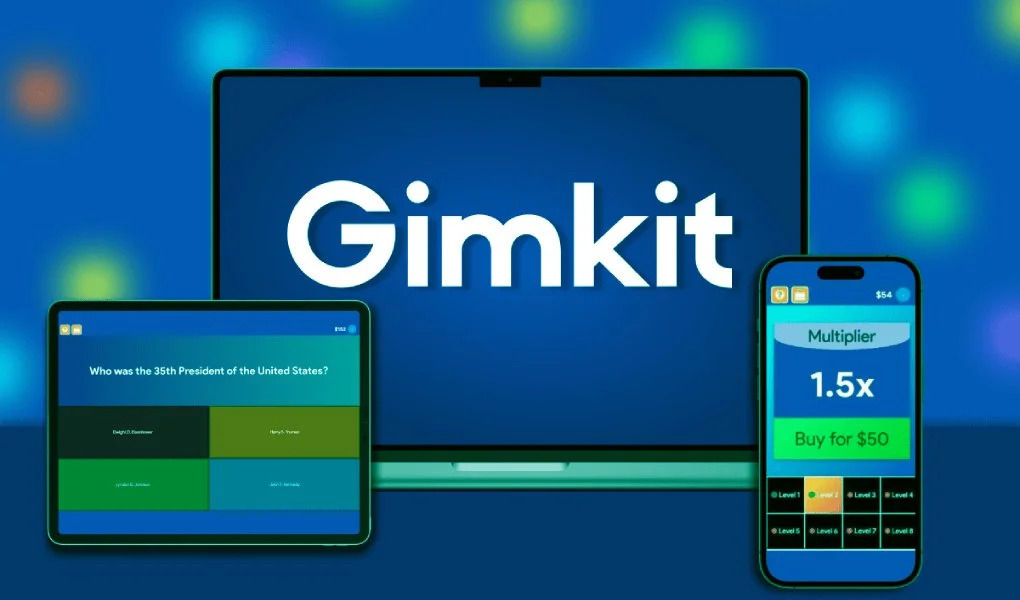
Nowadays, in many schools today, teachers are using games to make learning more exciting. One of the most loved platforms for this is “Gimkit”. It lets you turn boring quizzes into fun and fast-paced games that students enjoy. Whether you’re a teacher, tutor, or even a student, learning how to use the Gimkit Host (built-in feature) can make studying feel like playtime.
This article will explain everything about this exclusive game platform in simple words, from what Gimkit Host means to how it started and how to host the games the right way on it. Plus, you’ll also learn how students can join your game and how to set everything up in just a few minutes. So, let’s get started.
When someone says “Gimkit Host,” they mean the person who starts the game on Gimkit. The host can be a teacher in class, a tutor, or even a student who wants to play with friends.
As the host, you control everything. You choose the quiz, the game type, how long it lasts, and who can join. The hosting part happens on a page called “Gimkit/Host.” The host section is where all the setup tools are found.
Players use the game code given by the Gimkit Host to join. This code pops up on the screen once the game starts.
Gimkit was made by a high school student named “Josh Feinsilber” in 2017. He didn’t like the traditional ways of studying, so he created a better way to review and learn things. Fortunately, his school project turned into a real tool that’s now used in classrooms all around the world.
In the beginning, Gimkit was a simple quiz game. However, over time, Josh and his team added new features like different game modes, homework assignments, and special events to make it more and more interesting. Soon, the option to host Gimkit games became the favorite part for teachers because it gave them complete control and flexibility to teach however they wanted.
First of all, the players can see live scores, who’s winning, and how quickly students are answering.
Secondly, every game can be different. Gamers can use “Team Mode” for group work or “Classic Mode” for individual fun.
Thirdly, if in a hurry, players can import quiz sets or use ones made by others.
Last but not least, students earn “cash” for correct answers and spend it on power-ups. It makes the game even more exciting, competitive, and fruitful.
Using the “Gimkit Host” feature is super simple. Just go to gimkit.com, login, and head to the Host screen. Then, follow the below given short steps:
If you are still confused about how to host this game, don’t worry. Here’s a super-easy guide:
That’s it! You just learned how to host a game on Gimkit. Now your game is live and ready to go!
Once you’ve launched a game, simply go to gimkit.com/join.
That’s the Gimkit join host process. No doubt, it is very quick and easy. Also, no account is needed for students (unless required by the host).
When you use the Gimkit Host feature to start a game, you’re doing more than just hitting a “Start” button. You’re designing the way the learning game will run for your students. It’s like being the game master or the controller of a mini-classroom competition.
You get to decide:
As the host, you can allow students to join the game even after it has started.
Gimkit comes with background music, which adds energy and fun to the game. But if you want a quiet classroom or fewer distractions, you can mute the music.
Power-ups are special boosts that students buy while playing the game with their virtual money. If you want a basic quiz, you can turn these off.
You decide the game stops when someone earns a set amount of virtual money or after a certain time.
Here’s why teachers love it:
If you teach online, don’t worry. Here’s how to host it remotely:
No doubt, it works well for virtual classrooms too!
Want to make your Gimkit games even more fun? Here are some useful tips and tricks:
Nevertheless, these strategic tips keep students coming back for more!
Necessarily, you don’t have to be a teacher to be a host on this gaming platform. Almost, anyone can be a Host on Gimkit. Like, for example;
Yes! You can use most of Gimkit’s features for free. But if you want all game modes, homework assignments, and unlimited kits, you’ll need “Gimkit Pro.”
Gimkit combines learning with fun and offers creative control over learning different things in a way how the game works. Moreover, Gimkit also keeps updating its features over time, so each game feels fresh and new for students.
If you’re wondering how to host this amazing game, just follow the easy steps mentioned above. It only takes a moment to turn your quiz into a learning experience your students will enjoy.
Go ahead, log in to Gimkit, and get your game started!
It’s the part of Gimkit where you set up and run quiz games for others to join.
Log in, choose a kit, pick your game mode, change settings, and click “Continue.” That’s how to host a game within no time.
Yes! They just have to go to gimkit.com/join and need to type in the game code.
Use the “Assignments” feature to let students play later.
Not really. “Free” users can host a few students, while “Pro accounts” allow many more.
Yes, Gimkit is made for classrooms and keeps things student-friendly.